AI Remote Support That Powers Agentic Outcomes

ScreenMeet:

Native to
ServiceNow
Tanium
Salesforce
ServiceNow
— not just connected.

ScreenMeet is enterprise remote support software purpose-built for ServiceNow, Salesforce, and Tanium. It eliminates tool-switching, reduces resolution times, and enables agent productivity with AI that works directly within your existing platform workflows.

Over 25,000 agents.
500+ million end-users.

Platform-Native Remote Support.
Supercharged by AI.

Purpose-built for enterprise IT. Designed to work within your platforms from day one.

Platform-native integration

Built in, not bolted on. Most remote support tools sit alongside your platform. ScreenMeet runs inside it. Agents never leave ServiceNow, Salesforce, or Tanium to start a session, look up device telemetry, find tools, or document an interaction. No context switching. Nothing lost between systems.

Session Summary

Every session, every time. Fully captured. Every session generates a complete, structured record of what happened, automatically stored in the incident record. That rich data feeds your platform's AI applications and knowledge workflows, so the value of every resolved issue compounds over time instead of disappearing as soon as the session closes.

AI Assist

Real-time guidance, right where agents work. During sessions, AI Assist surfaces relevant troubleshooting steps, past resolutions, and diagnostic recommendations based on live session context. When a known fix applies, support agents can execute pre-approved scripts and actions in a single click, without manual steps or leaving the platform.

Enterprise security & compliance

Security and compliance built for enterprise scale. SOC 2 Type II and ISO 27001 certified, with GDPR compliance and EU-US Data Privacy Framework adherence. Geo-fencing controls where sessions are processed and data is stored, and AI workflows support bring-your-own-LLM options to meet your security requirements.

Trusted By The World's Most Demanding Enterprises

Global support and IT teams rely on ScreenMeet to deliver fast, secure, and scalable remote support — seamlessly integrated into their workflows.

It was the smoothest move ever we have done with a tool. And because session notes, screen shots, call recordings, and other information are automatically added to the incident, the biggest benefit so far has been the time savings, requiring fewer steps to get everything into the ticket for logging.

Liran Daniel,

Employee Experience Innovation, ServiceNow


Screen sharing is a critical capability to help our customers in this digital-first world. With ScreenMeet's integration with Service Cloud, it also makes it seamless to use for our support engineers.

Jim Roth,

EVP Customer Support, Salesforce


We're able to help support machines outside of our domain altogether and get people up and running in a shorter period of time. Without ScreenMeet, I don't know how simple this would have been for us.

Waqas Mahmud,

Sr. Manager, Ontario Teachers' Pension Plan

Feature Highlights

Remote Support and AI,
Built Into Your Existing Workflows

Platform-native remote support for ServiceNow, Salesforce, and Tanium, with every tool IT support teams need for faster, better-documented resolution.

Remote Control — Fast, Frictionless Support

Take control of any device, run terminal commands, apply admin privileges, and annotate the screen. Every action is logged to the incident record automatically, giving agents and InfoSec teams a complete, timestamped audit trail.

Reliable Screen Sharing — See What They See

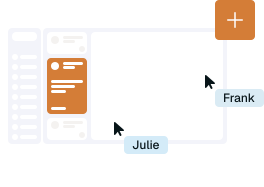
Secure screen sharing and visual collaboration that works inside ServiceNow, Salesforce, and Tanium workflows. Session consent and all interactions are logged automatically and stored per your security and compliance requirements.

Illustration of Screen Sharing

Session Summary — No More “Done” Resolutions

Session Summary records steps taken, tools used, device state, and resolution path for every session and writes that data into the incident. It powers knowledge generation and AI applications across your platforms without agents typing a single note.

Voice & Video —
Human Connection Built Right In

Integrated voice and video communication built directly into the support session, with no separate meeting tool required. All activity, including recordings and call data, is documented and logged to the incident record automatically.

Illustration of remote support

Global Infrastructure & Compliance  —
Secure, Scalable, Compliant Worldwide

Enterprise-grade cloud architecture with geo-fencing for regional data processing and storage. Enterprise compliance, with configurable AI data governance and bring-your-own-LLM support to meet the strictest security requirements.

InfoSec Approved. Globally Compliant. Zero Vulnerabilities.

ScreenMeet is built from the ground up with enterprise-grade security controls. Our comprehensive security framework ensures complete data sovereignty, multi-layered protection, and global compliance capabilities.

SOC 2 Type II

Comprehensive Security Controls:
Annual third-party security audits validate that our comprehensive security controls, data protection measures, and operational procedures meet the highest enterprise standards.

ISO 27001 Certified

International Security Standards:
Certified information security management system, ensuring a systematic approach to managing sensitive company and customer information through risk management processes.

Security Highlights

Advanced geo-fencing for regional data sovereignty

Zero-trust architecture with end-to-end encryption

Comprehensive consent management and session audit trails

Configurable data storage controls for compliance

Bring-your-own-LLM support for AI data governance

GDPR compliance with EU-US Data Privacy Framework adherence

Ready to See AI-Powered Remote Support in Action?

Try The Guided Tour

See It In Action: See Session Summary and AI Assist in action. Experience a walkthrough showing all core remote support capabilities and platform integrations.

Product Overview

Get to know ScreenMeet: a full product set, including AI capabilities, ServiceNow integration depth, and how ScreenMeet fits into your platform investment.

Talk To A Specialist

Ready To Get Started? Speak with our platform experts about your specific ServiceNow, Salesforce, or Tanium integration requirements.

Book A Demo